build · August 2026
Python Build Systems and Build Backends — Deep Practical Guide
A deep, practical guide to modern Python packaging, build frontends, build backends, artifact validation, native extensions, reproducibility, security, and architecture decisions.
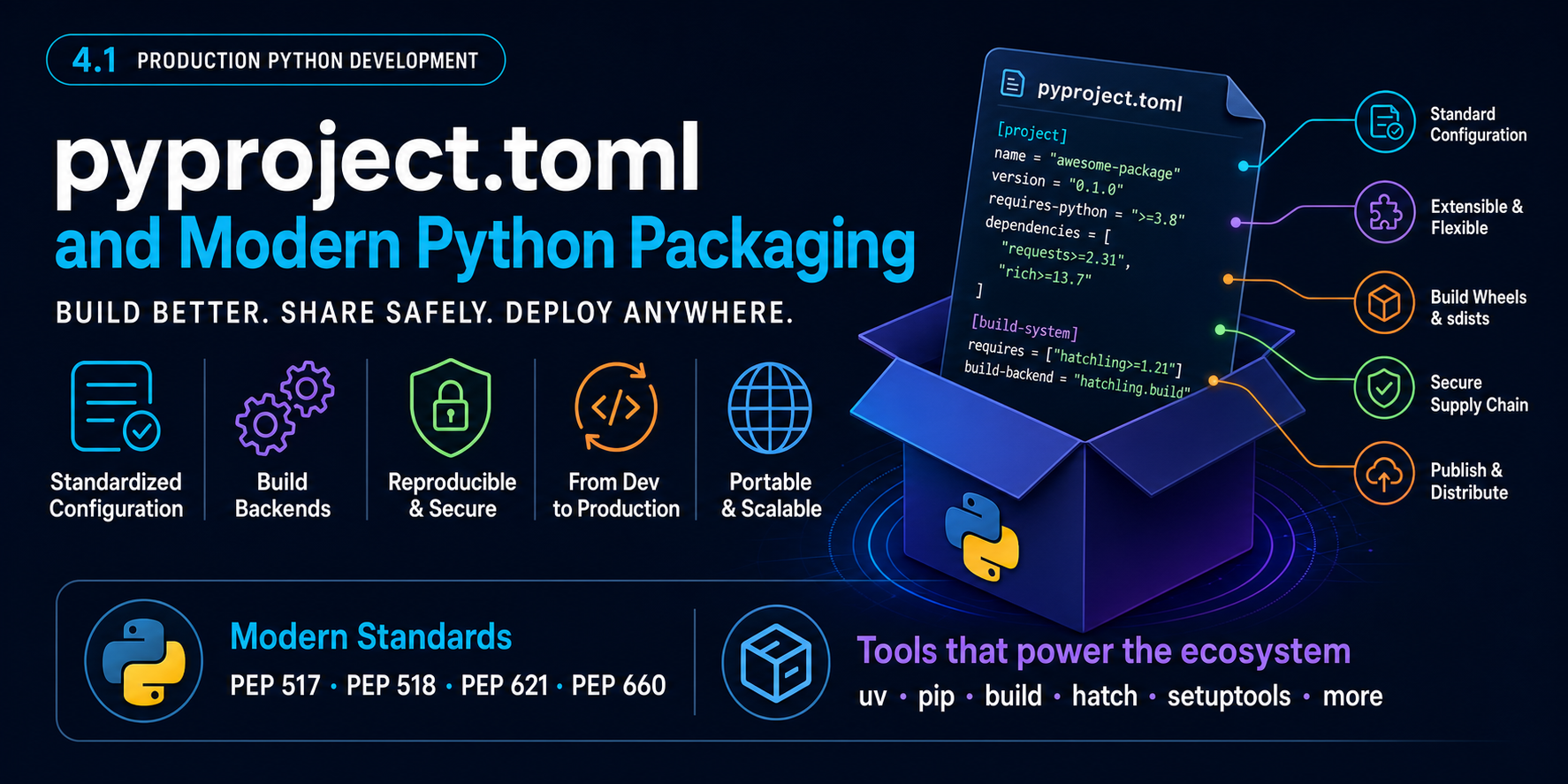
Executive summary
A Python build backend is the component that knows how to turn a Python source tree into installable distribution artifacts such as:
- a wheel (`.whl`);
- a source distribution (`sdist`, usually `.tar.gz`);
- an editable wheel for development.
Modern Python packaging separates the user-facing tool that asks for a build from the backend that performs the build.

For most new projects, the backend is declared in:
[build-system]
requires = ["..."]
build-backend = "..."
inside `pyproject.toml`.
For the types of systems in this learning track, the practical defaults are:
| Project type | Recommended starting backend |
|---|---|
| New, conventional pure-Python application/library | `uv_build` |
| Pure Python needing more flexible build hooks/file layouts | Hatchling |
| Existing/legacy setuptools project or unusual Python build customization | setuptools |
| Very small/minimal pure-Python library | Flit Core |
| Team already standardized on PDM | PDM-Backend |
| Team already standardized on Poetry | poetry-core |
| C/C++/Fortran/Cython project using CMake | scikit-build-core |
| Compiled project already using Meson, or complex multi-language native build | meson-python |
| Rust-based Python extension / PyO3 project | Maturin |
There is no universally best backend.
The correct decision depends primarily on:
- Whether the project is pure Python or contains native extensions.
- How complex the source and build layout is.
- Whether custom build hooks are required.
- The team's existing ecosystem.
- Portability requirements.
- How much build-system complexity the team wants to own.
Why does Python need a build system?
Consider a source repository:
my_project/
├── pyproject.toml
├── README.md
└── src/
    └── my_project/
        ├── __init__.py
        └── service.py
A source repository is not automatically an installable Python distribution.
Something needs to decide:
- which files are included;
- how metadata is generated;
- which package directories become installable;
- whether package data is included;
- what entry points are installed;
- whether native code must be compiled;
- what platform tags the wheel needs;
- how an editable install works;
- how dynamic versions are calculated;
- what build-time dependencies are required.
That is the responsibility of the build backend.
Conceptually:

Build frontend vs build backend

This distinction is essential.
Build frontend
A frontend is the tool the user or CI system invokes.
Examples include:
python -m builduv buildand, in installation workflows:
pip install .The frontend:
- reads `pyproject.toml`;
- determines which backend is required;
- creates an isolated build environment when appropriate;
- installs build requirements;
- calls standardized backend hooks;
- retrieves the resulting artifact.
The frontend should not need to know how the backend internally performs the build.
Build backend
The backend implements standardized build hooks.
Typical hooks include concepts such as:
build_wheel
build_sdist
get_requires_for_build_wheel
prepare_metadata_for_build_wheel
PEP 660 adds editable-build behavior.
The backend may be implemented using:
- Python;
- Rust;
- CMake;
- Meson;
- Cargo;
- other underlying build systems.
Why this separation exists
Historically Python packages commonly used:
# setup.py
from setuptools import setup

setup(...)
and users executed commands such as:
python setup.py sdist
python setup.py install
This tightly coupled:
project configuration
+
build implementation
+
user command interface
to setuptools.
Modern packaging standards separated those responsibilities.
Now:
pip / uv / build
       |
       v
standard backend protocol
       |
       v
chosen backend
The frontend can work with many backends without understanding backend-specific implementation details.
This provides:
- build-system choice;
- build isolation;
- more predictable tooling;
- interoperability;
- easier backend replacement;
- cleaner separation between project metadata and implementation.
The standards behind modern builds
You do not need to memorize PEP numbers, but an architect should understand the model.
PEP 518 — build requirements
Introduced the `[build-system]` table in `pyproject.toml`.
Example:
[build-system]
requires = ["hatchling"]
build-backend = "hatchling.build"
The frontend can know what it must install before executing the project build.
PEP 517 — build backend interface
Defines a standard interface between frontends and backends.
Conceptually:
frontend
    |
    | standardized hooks
    v
backend
This is what makes `pip`, `uv`, and PyPA `build` able to build projects using different backend implementations.
PEP 621 — standardized project metadata
Allows metadata such as:
[project]
name = "underwriting-ai"
version = "0.1.0"
dependencies = [...]
to use a common standard instead of every backend inventing its own metadata format.
PEP 660 — editable installs
Standardizes editable installs for PEP 517 backends:
pip install -e .PEP 639 and newer metadata standards
Modern backends increasingly support standardized license expressions and license files.
The strategic principle is:
> Prefer standards-compliant metadata and backend interfaces so the project is less coupled to a specific tool.
Build isolation

Suppose:
[build-system]
requires = [
    "scikit-build-core",
    "cython",
]
build-backend = "scikit_build_core.build"
A compliant frontend can conceptually create:

This prevents the build from silently depending on arbitrary packages installed on the developer's machine.
Build isolation does not automatically make a build perfectly reproducible, but it removes a major source of hidden dependencies.
Build dependencies vs runtime dependencies
Only dependencies required to execute the build itself belong in `[build-system].requires`.
[build-system]
requires = ["hatchling"]
build-backend = "hatchling.build"

[project]
dependencies = [
    "fastapi",
    "pydantic",
]
Hatchling builds the package.
FastAPI and Pydantic are runtime dependencies.
Do not mix these concerns.
What does a backend produce?
Source distribution
Typical:
underwriting_ai-0.1.0.tar.gzAn sdist contains source material needed to build the package.
Wheel
Pure Python:
underwriting_ai-0.1.0-py3-none-any.whlNative extension:
package-1.0.0-cp313-cp313-manylinux_x86_64.whlNative wheels may depend on:
- Python ABI;
- OS;
- architecture;
- system runtime libraries.
Pure Python vs native extension
This is the most important first decision.
Pure Python
Examples:
- FastAPI service;
- RAG application;
- agent orchestration service;
- evaluation library;
- business-domain package;
- Python CLI.
No compiler is needed.
Native extension
Examples:
- Python + C;
- Python + C++;
- Python + Rust;
- Python + Fortran;
- Python + Cython.
Now the build may involve:
- compiler toolchains;
- Python headers;
- linking;
- platform ABI;
- native dependency discovery;
- cross compilation.
This is where specialized backends matter.
State of the ecosystem in 2026
The ecosystem can be grouped into three broad classes.
Pure/general Python backends
uv_build
Hatchling
setuptools
Flit Core
PDM-Backend
poetry-core
Native-extension backends
scikit-build-core → CMake
meson-python      → Meson
Maturin           → Cargo/Rust
Frontends/project managers
uv
Hatch
PDM
Poetry
pip
PyPA build
One product can play multiple roles.
For example:
uv
├── project manager
├── dependency resolver/locker
├── build frontend (`uv build`)
└── separate build backend (`uv_build`)
Do not confuse `uv build` with `uv_build`.
`uv_build`
What it is
Astral's native build backend for Python projects.
[build-system]
requires = ["uv_build>=0.11.26,<0.12"]
build-backend = "uv_build"
The uv documentation currently recommends an upper bound compatible with the backend's versioning policy.
Design goal
`uv_build` targets conventional pure-Python packages with:
- strong defaults;
- low configuration;
- fast builds;
- project-layout validation;
- close integration with uv.
Strengths
- very fast;
- minimal configuration;
- strong validation of common mistakes;
- excellent uv integration;
- standard PEP 517 backend usable by other frontends;
- good fit for `src/`-layout pure-Python services;
- strong greenfield default.
Weaknesses
- newer ecosystem entrant;
- pure-Python only;
- deliberately less flexible than more extensible backends;
- unsuitable for native extensions;
- sophisticated build scripts/layouts may require Hatchling or another backend.
Best fit
- FastAPI services;
- RAG APIs;
- AI agents;
- pure-Python internal libraries;
- Python CLIs;
- conventional greenfield services.
For this learning track, it is the preferred default for ordinary AI services.
Hatchling
Configuration
[build-system]
requires = ["hatchling>=1.26"]
build-backend = "hatchling.build"
Design goal
A modern flexible Python backend with sensible defaults, file-selection controls, build targets, plugins, and hooks.
Strengths
- mature modern design;
- PEP 517 and editable-build support;
- flexible package/file inclusion;
- plugin/build-hook ecosystem;
- handles less conventional project layouts;
- can be used independently of the Hatch frontend;
- good step up when a minimalist backend becomes too restrictive.
Weaknesses
- larger configuration surface than uv_build/Flit;
- hooks can become an avenue for build complexity;
- not the primary choice for CMake/Meson/Rust extensions;
- teams can over-engineer packaging logic.
Best fit
- pure Python with non-trivial packaging;
- generated package assets;
- complex file selection;
- custom build hooks;
- teams already using Hatch.
setuptools
Configuration
[build-system]
requires = ["setuptools>=77"]
build-backend = "setuptools.build_meta"
Important nuance
This is modern setuptools.
Do not confuse using setuptools as a PEP 517 backend with invoking:
python setup.py install
python setup.py sdist
Those old command workflows are discouraged.
Strengths
- enormous ecosystem;
- mature and actively maintained;
- extensive legacy compatibility;
- powerful customization;
- supports extension modules;
- extensive plugin ecosystem;
- easiest migration path for many old packages.
Weaknesses
- large historical configuration surface;
- modern and legacy concepts coexist;
- many outdated examples remain online;
- easy to create bespoke complex builds;
- more machinery than needed for a simple pure-Python service.
Best fit
- existing setuptools packages;
- legacy migration;
- packages using setuptools plugins;
- specialized build customization;
- some C/C++/Cython extension projects.
For a new ordinary RAG service, use it only if there is a concrete reason—not simply familiarity.
Flit Core
Configuration
[build-system]
requires = ["flit_core>=3.11,<5"]
build-backend = "flit_core.buildapi"
Philosophy
Flit deliberately focuses on simple Python package distribution.
Strengths
- tiny conceptual surface;
- simple configuration;
- standards-oriented;
- good pure-Python experience;
- low maintenance burden.
Weaknesses
- intentionally limited customization;
- not ideal for unusual layouts;
- not a native-extension build system;
- weak fit when custom hooks are necessary.
Best fit
- small libraries;
- simple open-source packages;
- teams that explicitly want minimal packaging behavior.
PDM-Backend
Configuration
[build-system]
requires = ["pdm-backend>=2.4"]
build-backend = "pdm.backend"
PDM-Backend supports PEP 517, PEP 621 and PEP 660.
Strengths
- modern standards support;
- conventional layouts by default;
- configurable include/exclude behavior;
- build hooks;
- editable-build options;
- natural fit for a PDM-centered workflow.
Weaknesses
- strongest reason to use it is usually ecosystem alignment with PDM;
- smaller mindshare than setuptools/Hatchling;
- little reason to introduce it into a uv-standardized team without a specific need;
- native-heavy projects generally benefit from specialized backends.
Best fit
- PDM-standardized organizations;
- existing PDM repositories;
- modern pure-Python projects requiring PDM's build features.
poetry-core
Configuration
[build-system]
requires = ["poetry-core>=2.0.0,<3.0.0"]
build-backend = "poetry.core.masonry.api"
Modern Poetry supports standard `[project]` metadata alongside Poetry-specific tooling.
Strengths
- natural Poetry integration;
- mature Poetry ecosystem;
- straightforward package builds;
- good fit when Poetry is already the team's standard.
Weaknesses
- little architectural reason to adopt it outside a Poetry-centered workflow;
- historically had Poetry-specific metadata conventions;
- not intended for complex native compilation;
- adds ecosystem variation to a uv-standardized organization.
Best fit
- existing Poetry projects;
- organizations standardized on Poetry.
scikit-build-core
What it is
A modern PEP 517 backend that uses CMake for native Python extension builds.
[build-system]
requires = ["scikit-build-core"]
build-backend = "scikit_build_core.build"
Minimal CMake concept:
cmake_minimum_required(VERSION 3.15)
project(example LANGUAGES CXX)

find_package(Python COMPONENTS Interpreter Development.Module REQUIRED)

Python_add_library(
    _native
    MODULE
    src/native.cpp
    WITH_SOABI
)

install(TARGETS _native DESTINATION example)
Strengths
- excellent CMake integration;
- strong C/C++/Fortran/Cython fit;
- modern replacement for classic setuptools-based scikit-build;
- broad OS/compiler/IDE ecosystem inherited from CMake;
- appropriate for demanding scientific and performance packages;
- can supply CMake/Ninja automatically when needed.
Weaknesses
- CMake is a substantial technology on its own;
- unnecessary for pure Python;
- native portability remains inherently complex;
- requires compiler/build-system expertise.
Best fit
- existing CMake projects;
- C/C++ extensions;
- Fortran;
- scientific/ML native modules;
- Cython projects using CMake.
meson-python
Configuration
[build-system]
requires = ["meson-python"]
build-backend = "mesonpy"
Example:
project('my-extension', 'c')

py = import('python').find_installation(pure: false)

py.extension_module(
  '_native',
  'src/native.c',
  install: true,
  subdir: 'my_package',
)
Architecture

Strengths
- strong multi-language native build support;
- fast;
- readable build DSL;
- strong cross-platform capabilities;
- good subproject/dependency mechanisms;
- well suited to sophisticated native libraries;
- editable installs can handle compiled components.
Weaknesses
- requires Meson expertise;
- unnecessary for pure Python;
- smaller ecosystem footprint than CMake;
- migrating an established CMake project just for Python packaging is rarely justified.
Best fit
- projects already using Meson;
- complex C/C++/Fortran packages;
- multi-language native software;
- scientific/native libraries intentionally standardized on Meson.
Maturin
Configuration
[build-system]
requires = ["maturin>=1,<2"]
build-backend = "maturin"
Architecture

Strengths
- excellent Rust/Python developer experience;
- strong Cargo integration;
- first-class fit for PyO3;
- good platform wheel workflows;
- focused tooling for Rust rather than generic build indirection.
Weaknesses
- Rust-specific;
- inappropriate for normal pure-Python services;
- requires Rust expertise/toolchain;
- compiled wheel distribution needs platform CI.
Best fit
- PyO3;
- Rust performance modules;
- Rust-based tokenizers/vector utilities;
- Rust CLI binaries distributed as Python packages.
Feature comparison table
| Backend | Pure Python | C/C++ | Fortran | Rust | Hooks/custom logic | Editable installs | Complexity | Main strength | Main weakness |
|---|---|---|---|---|---|---|---|---|---|
| uv_build | Excellent | No | No | No | Limited by design | Yes | Very low | Fast, validated, minimal modern builds | Pure Python only; newer |
| Hatchling | Excellent | Not primary | No | Not primary | Excellent | Yes | Low–medium | Flexible modern Python packaging | More moving parts than minimalist backends |
| setuptools | Excellent | Yes | Possible via ecosystem | Via plugins | Excellent | Yes | Medium–high | Compatibility and flexibility | Historical complexity |
| Flit Core | Excellent | Not target | No | No | Minimal | Yes | Very low | Simplicity | Deliberately limited |
| PDM-Backend | Excellent | Not primary | Not primary | Not primary | Good | Yes | Low–medium | Modern PDM-integrated backend | Less reason outside PDM |
| poetry-core | Excellent | Not primary | No | Not primary | Moderate | Yes | Low–medium | Poetry integration | Limited reason outside Poetry |
| scikit-build-core | Yes | Excellent | Excellent | Not primary | CMake-level | Yes | Medium–high | Modern CMake bridge | Requires CMake/toolchain skills |
| meson-python | Yes | Excellent | Excellent | Possible via Meson | Meson-level | Yes | Medium–high | Fast sophisticated native builds | Requires Meson expertise |
| Maturin | Mixed packages | No | No | Excellent | Cargo/Rust config | Yes | Medium | Best Rust/Python integration | Rust-specific |
"Possible" is not the same as "recommended." Prefer the backend naturally aligned to the native language and existing build ecosystem.
Qualitative scorecard
Scale:
5 = excellent
1 = poor / not intended| Criterion | uv_build | Hatchling | setuptools | Flit | PDM | poetry-core | scikit-build-core | meson-python | Maturin |
|---|---|---|---|---|---|---|---|---|---|
| Pure-Python simplicity | 5 | 4 | 3 | 5 | 4 | 4 | 2 | 2 | 2 |
| Flexible Python packaging | 3 | 5 | 5 | 2 | 4 | 3 | 4 | 4 | 3 |
| Legacy compatibility | 2 | 3 | 5 | 2 | 2 | 3 | 2 | 2 | 1 |
| Native C/C++ | 1 | 1 | 4 | 1 | 2 | 1 | 5 | 5 | 1 |
| Native Fortran | 1 | 1 | 2 | 1 | 1 | 1 | 5 | 5 | 1 |
| Rust extension experience | 1 | 1 | 2 | 1 | 1 | 1 | 2 | 3 | 5 |
| Minimal configuration | 5 | 4 | 3 | 5 | 4 | 4 | 3 | 3 | 4 |
| Custom build power | 2 | 4 | 5 | 1 | 4 | 2 | 5 | 5 | 4 |
| Learning curve | 5 | 4 | 3 | 5 | 4 | 4 | 2 | 2 | 3 |
These scores are an architectural heuristic, not claims made by the projects.
Decision tree


Recommendation for our AI services
A typical service in this roadmap contains:
FastAPI
Pydantic
Bedrock client
OpenSearch client
LiteLLM HTTP client
agent orchestration
OpenTelemetry instrumentation
This is pure Python.
There is no reason to introduce CMake, Meson, Cargo, or complex hooks.
Default
[build-system]
requires = ["uv_build>=0.11.26,<0.12"]
build-backend = "uv_build"
Use this when:
- the project is pure Python;
- the layout is conventional;
- no custom build step is needed.
Move to Hatchling when
- package layout is unusual;
- generated artifacts are needed;
- package-data rules are sophisticated;
- build hooks are justified.
[build-system]
requires = ["hatchling>=1.26"]
build-backend = "hatchling.build"
Why not setuptools by default?
setuptools would work.
But architecture is not just "can this tool do it?"
For a conventional greenfield pure-Python service:
uv_build
- smaller configuration
- strong defaults
- fast
- validates project structure

setuptools
- also works
- broader feature set
- more historical surface
If the broader power is unnecessary, prefer the simpler option.
Architectural rule:
> Choose the least complex tool that comfortably satisfies the requirements.
When enterprise standardization changes the answer
An organization may already have:
- hundreds of setuptools packages;
- internal setuptools plugins;
- established release templates;
- Cython builds;
- support expertise.
Then consistency may be more valuable than introducing another backend.
Staff-level engineering requires balancing:
local technical optimum
vs
organizational consistency
Do not fragment the toolchain for marginal benefits.
Backend migration is an artifact migration
Changing:
[build-system]
requires = ["hatchling"]
build-backend = "hatchling.build"
to:
[build-system]
requires = ["uv_build>=0.11.26,<0.12"]
build-backend = "uv_build"
does not prove migration is safe.
Compare built artifacts:
- package files;
- data files;
- metadata;
- entry points;
- namespace handling;
- license files;
- dynamic versions;
- editable installs;
- wheel tags;
- sdist contents.
Build, install, and test the resulting wheel.
Artifact-first validation
A strong packaging test follows the artifact: build the wheel, install it in a fresh environment, and run smoke or integration checks without relying on the repository checkout.

Example:
uv build --wheel

python -m venv /tmp/pkg-test
source /tmp/pkg-test/bin/activate

pip install dist/*.whl
python -c "import underwriting_ai"
Editable installs can hide packaging mistakes, so test real artifacts.
Validate sdists too
If publishing source distributions:
Validate the distribution path itself: build the source distribution, rebuild the wheel from that source archive, and test the resulting wheel in a clean environment.

A common packaging bug is:
wheel builds from repo
but
wheel cannot build from sdist
because required source files were omitted.
Build hooks: powerful but risky
Suppose a build hook:
- downloads a remote schema;
- generates code;
- retrieves a "latest" prompt;
- contacts an internal service;
- injects environment-dependent assets.
Now the same commit may produce different artifacts at different times.
Ask:
1. Does this truly belong at build time? 2. Are outputs deterministic? 3. Is a network required? 4. Are all inputs versioned? 5. Can an isolated CI environment reproduce it? 6. Can security review what runs?
Prefer builds that are:
explicit
deterministic
side-effect minimal
offline-capable where practical
Dynamic versions
Some backends/plugins can derive versions from Git tags.
A dynamic version can be useful when a release tag is the source of truth, but it should be an intentional part of the release design.

Useful when release processes are designed around source-control versions.
But for a containerized internal service, Git SHA/container tags may already provide sufficient deployment identity.
Use dynamic metadata because it solves a release problem, not because it looks sophisticated.
Native-extension decision guide
Existing CMake project
Use:
scikit-build-coreDo not rewrite CMake to Meson solely for Python packaging.
New C/C++ extension
Evaluate:
scikit-build-core + CMake
vs
meson-python + Meson
based on:
- team knowledge;
- native dependencies;
- IDE/toolchain integration;
- organization standards;
- surrounding code.
Fortran/scientific package
Evaluate:
scikit-build-core
meson-python
with existing build-system investment as a major decision factor.
Rust/PyO3
Start with:
Maturinunless a concrete requirement pushes elsewhere.
Cython
Cython can fit several backends:
setuptools
scikit-build-core
meson-python
Use context:
- simple legacy Cython package already on setuptools → keeping setuptools may be sensible;
- Cython inside a large CMake project → scikit-build-core;
- Cython/native code in a Meson codebase → meson-python.
Backend choice follows the overall native architecture.
Backend is not dependency management
Do not confuse:
uv_buildwith:
uv lock / uv syncDifferent responsibilities:
Read the two responsibilities as parallel pipelines: dependency management resolves what runs together, while the build backend packages what you distribute.

Valid combinations include:
uv + uv_build
uv + Hatchling
uv + setuptools
uv + Maturin
uv + scikit-build-core
Backend is not deployment
The deployment path has distinct handoffs. The Python build produces the installable artifact; containerization, registry publication, infrastructure provisioning, and runtime deployment take over afterward.

| Layer | Responsibility |
|---|---|
| Build backend | Package Python project |
| uv | Project/dependency management; build frontend; optional backend |
| Docker | Runtime artifact |
| ECR | Container registry |
| Terraform | Infrastructure provisioning |
| ECS/EKS/Lambda | Runtime infrastructure |
| GitHub Actions | CI/CD orchestration |
Avoid putting deployment logic into package build hooks.
Backend is not the compiler
Native extension builds have several distinct layers. The packaging backend coordinates Python artifacts, while CMake, Meson, or Cargo describe the native build and a runner/compiler executes it.

When a build fails, identifying which layer failed matters.
Reproducibility
Important inputs include:
source commit
backend version
build dependencies
compiler/toolchain
OS/container image
environment variables
For high-assurance release workflows, constrain build dependencies deliberately.
Example:
[build-system]
requires = ["uv_build>=0.11.26,<0.12"]
build-backend = "uv_build"
Build frontends can also support additional constraints and hashes.
Security implications

Build dependencies execute code.
Your supply-chain threat surface includes:
- backend;
- backend plugins;
- code generators;
- compiler helpers;
- native build dependencies.
Therefore:
- review `[build-system]` changes;
- use trusted packages;
- avoid unnecessary plugins;
- isolate builds;
- constrain versions appropriately;
- scan build dependencies;
- avoid arbitrary network downloads in hooks.
A build-system edit deserves architectural and security scrutiny.
CI guidance
Healthy packaging CI:
checkout
   |
build sdist + wheel
   |
inspect artifacts
   |
clean environment
   |
install wheel
   |
smoke tests
Reusable libraries may also require:
- multiple Python versions;
- multiple OSs;
- compatibility matrices;
- metadata checks.
Native projects additionally need:
- multi-platform wheel generation;
- ABI checks;
- cibuildwheel or equivalent orchestration;
- audit/repair tooling for binary wheels.
Conceptual GitHub Actions example
name: package-build

on:
  pull_request:

jobs:
  build:
    runs-on: ubuntu-latest

    steps:
      - uses: actions/checkout@v4

      - name: Build distributions
        run: uv build

      - name: Inspect artifacts
        run: ls -lah dist/

      - name: Smoke-test wheel
        run: |
          python -m venv /tmp/wheel-test
          /tmp/wheel-test/bin/pip install dist/*.whl
          /tmp/wheel-test/bin/python -c "import underwriting_ai"
Use approved current action versions and enterprise security controls in real projects.
Packaging AI applications should be boring
A normal AI service should have a simple build:
[build-system]
requires = ["uv_build>=0.11.26,<0.12"]
build-backend = "uv_build"

[project]
name = "underwriting-ai"
version = "0.1.0"
requires-python = ">=3.12"

dependencies = [
    "fastapi",
    "pydantic",
    "boto3",
    "httpx",
]
Do not put AI-runtime concerns into build logic without good reason.
Model IDs, retrieval endpoints, agent configuration, prompts, identities, secrets and telemetry endpoints belong in appropriate runtime/configuration systems.
Prompts and package data
A prompt stored as:
src/underwriting_ai/prompts/system.txtmay reasonably ship with the package if:
- prompt and code must version together;
- releases must be reproducible;
- rollback should restore both.
It may be wrong if prompts have an independent lifecycle managed by another platform.
That decision is not really "which backend?"
It is configuration and governance architecture.
What not to do
Do not choose setuptools because "Python always uses setuptools"
Modern Python supports multiple backends.
Do not choose uv_build merely because you use uv
uv supports PEP 517 backends generally.
Do not choose Hatchling merely because it is modern
Use its flexibility when you need it.
Do not fight Flit's intentional simplicity
Choose a more flexible backend if the build is complex.
Do not introduce CMake/Meson into pure-Python services
That is unnecessary complexity.
Do not force Rust through a generic backend
Evaluate Maturin.
Do not rewrite a working native build system casually
CMake → Meson or Meson → CMake is a significant engineering migration.
Do not invoke setuptools through old `setup.py` commands
Using setuptools is compatible with modern frontends:
uv build
python -m build
pip install .
Scenario selection matrix
| Scenario | Recommended choice | Why |
|---|---|---|
| New FastAPI RAG API | uv_build | Conventional pure Python |
| New AI agent service | uv_build | No special build requirements |
| RAG service with custom generated package assets | Hatchling | Hooks/flexible packaging |
| Internal reusable pure-Python AI library | uv_build or Hatchling | Simplicity vs flexibility |
| Tiny open-source utility | Flit Core or uv_build | Minimal packaging logic |
| Large legacy `setup.py` package | setuptools initially | Lower-risk modernization |
| Existing Poetry project | poetry-core | Ecosystem alignment |
| Existing PDM project | PDM-Backend | Ecosystem alignment |
| C++ inference optimization library using CMake | scikit-build-core | Native CMake integration |
| Scientific native project using Meson | meson-python | Native Meson integration |
| Rust tokenizer/vector utility | Maturin | Cargo/PyO3-native workflow |
Recommended organizational policy
For an AWS/Python AI organization, a sensible policy would be:
Preferred pure-Python backend
uv_buildfor conventional greenfield services and libraries.
Approved flexible Python backend
Hatchlingwhen custom packaging behavior is justified.
Compatibility/general backend
setuptoolsfor legacy systems, plugins and specialized requirements.
Native backends
CMake          → scikit-build-core
Meson          → meson-python
Rust/PyO3      → Maturin
Existing ecosystem exceptions
PDM            → PDM-Backend
Poetry         → poetry-core
where organizational standardization already exists.
This keeps the tool portfolio small without blocking legitimate specialized builds.
Example Architecture Decision Record
Decision
Use `uv_build` for the Underwriting AI service.
Context
The service:
- is pure Python;
- uses a standard `src/` layout;
- has no native extensions;
- requires no build-time code generation;
- is managed with uv;
- is deployed as a container.
Alternatives
Hatchling
More flexible, but the service currently does not require additional hooks or custom build behavior.
setuptools
Mature and capable, but introduces unnecessary surface for a straightforward greenfield service.
Flit Core
Simple and viable, but `uv_build` aligns with the team's uv tooling and provides strong structure validation.
Consequences
Positive:
- minimal configuration;
- fast build;
- consistent uv workflow;
- standards-compliant artifacts.
Negative:
- native extensions or sophisticated hooks would require a backend change later.
Revisit when
- native modules are introduced;
- build-time generation becomes necessary;
- package layout exceeds supported structures.
Questions for an architecture review
When a developer proposes a backend, ask:
Requirements
- Pure Python or native code?
- Generated artifacts?
- Unusual package data?
- Editable native compilation?
Existing ecosystem
- Which project manager is standardized?
- Is there an existing CMake/Meson/Cargo system?
- Greenfield or migration?
Complexity
- Which requirement needs this backend?
- Could a simpler backend work?
- Are custom hooks being introduced?
Reproducibility
- Are build dependencies explicit?
- Does build isolation work?
- Is the build deterministic?
- Does it require network access?
Security
- What code executes during build?
- Which plugins/code generators are trusted?
- Are versions constrained?
- Are build dependencies scanned?
Operations
- Can CI build both wheel and sdist?
- Can the wheel install in a clean environment?
- Who owns platform/toolchain maintenance for native builds?
Practical exercise — compare backends
Build the same trivial package with:
1. `uv_build`; 2. Hatchling; 3. setuptools.
Package:
backend-demo/
├── pyproject.toml
└── src/
    └── backend_demo/
        └── __init__.py
Code:
def hello() -> str:
    return "hello"
Build:
uv buildInspect:
unzip -l dist/*.whl
tar -tf dist/*.tar.gz
Compare:
- artifact contents;
- metadata;
- configuration complexity;
- file inclusion behavior.
The point is to see several backends producing the same standard distribution formats.
Practical exercise — prove frontend/backend separation
Use Hatchling:
[build-system]
requires = ["hatchling"]
build-backend = "hatchling.build"
Build with:
uv buildThen:
python -m buildBoth frontends invoke Hatchling.
This demonstrates:
uv build != uv_buildPractical exercise — choose a backend from the list
For each scenario, select one backend from the provided list. Do not choose a build frontend such as `uv`, `pip`, or `python -m build`; those tools request the build, while the backend performs it. Use the project constraints to justify your selection.
- `uv_build`
- `Hatchling`
- `setuptools`
- `Flit Core`
- `PDM-Backend`
- `poetry-core`
- `scikit-build-core`
- `meson-python`
- `Maturin`
Scenarios — choose before looking at the answer key
| Scenario | Project constraints |
|---|---|
| A | FastAPI, Bedrock, OpenSearch, Pydantic, and no compiled code. |
| B | A Python wrapper around an existing CMake C++ inference library. |
| C | A Python tokenizer with a performance-critical Rust/PyO3 core. |
| D | A 20-year-old package with custom `setup.py` and setuptools plugins. |
| E | A small, three-module pure-Python library with a conventional layout. |
Answer key — one reasonable selection per scenario
| Scenario | Select from the list | Reasoning |
|---|---|---|
| A | `uv_build` | A conventional pure-Python service has no native toolchain or custom extension requirements. |
| B | `scikit-build-core` | The project already speaks CMake, so the backend should bridge that native build into Python packaging. |
| C | `Maturin` | Maturin is designed for Rust-based Python extensions, including PyO3 projects. |
| D | `setuptools` | Existing plugins and custom setup logic make a compatibility-first migration the lowest-risk choice. |
| E | `uv_build` | A small conventional library is a strong fit; `Flit Core` is also a valid selection when minimal metadata-driven configuration is preferred. |
The exact answer can vary when two listed backends satisfy the constraints. What matters is that the choice is made from the provided list and defended using the source layout, native toolchain, hooks, team ecosystem, and maintenance burden.
Practical exercise — review a suspicious build configuration
A developer adds this to a pure-Python RAG API:
[build-system]
requires = [
    "setuptools",
    "wheel",
    "cython",
    "numpy",
    "cmake",
    "ninja",
]
build-backend = "setuptools.build_meta"
Review questions:
- What requires Cython?
- What needs NumPy at build time?
- Why CMake?
- Why Ninja?
- Why is `wheel` explicitly listed?
- Does the repository contain native code?
- Are these copied from an irrelevant template?
If not justified, the build configuration should be simplified.
Practical exercise — native performance architecture
A data science team wants to move a slow numerical operation out of Python.
Do not choose a backend first.
Start with:

The backend follows the architecture.
Primary sources used for this guide
Packaging tooling evolves quickly, so this guide points to current primary documentation. Each card explains when the source is most useful.
A practical reading list for modern Python builds
Python packaging standards
Python Packaging User Guide
The canonical map of packaging concepts, standards, workflows, and tools.
Writing pyproject.toml
A practical guide to declaring project metadata and build configuration.
Packaging flow
The end-to-end path from source tree to built and published distributions.
uv / uv_build
uv build backend
Configuration reference for uv_build and its project layout assumptions.
Building distributions with uv
Commands and expectations for producing wheels and source distributions.
uv project build configuration
Project-level settings that shape dependency, build, and publishing behavior.
Build backends
Hatch build configuration
How Hatchling maps project files and environments into artifacts.
Hatch build workflow
The official workflow for building, inspecting, and publishing packages.
setuptools
The broad compatibility reference for the established Python build ecosystem.
setuptools build-system support
PEP 517 build_meta hooks and the backend interface used by frontends.
setuptools pyproject.toml configuration
Metadata and package-discovery options for setuptools projects.
Flit
A deliberately small backend for straightforward Python packages.
Flit pyproject.toml reference
The settings that control Flit metadata and module discovery.
PDM-Backend
A PEP 517 backend for PDM-style projects and modern metadata.
PDM build configuration
Backend configuration for package inclusion, hooks, and artifact layout.
Poetry
Project and dependency management documentation for Poetry users.
Poetry repository and documentation
Source repository, implementation details, and issue history for Poetry.
Native extensions and compiled code
scikit-build-core
A modern CMake-backed backend for Python packages with native components.
meson-python
Build Python extensions and wheels using the Meson build system.
Maturin
Package Rust and PyO3 projects as Python wheels and source distributions.
Final recommendation for this learning track
For our normal production Python AI services:
uv
├── dependency/project management
├── build frontend
└── uv_build backend
is the preferred baseline.
Use:
[build-system]
requires = ["uv_build>=0.11.26,<0.12"]
build-backend = "uv_build"
when:
- the service is pure Python;
- the layout is conventional;
- there are no complex build hooks.
Use Hatchling when packaging becomes more sophisticated.
Keep or choose setuptools where compatibility, existing plugins or build customization justify it.
For native code, align the backend to the actual native architecture:
CMake       → scikit-build-core
Meson       → meson-python
Rust/Cargo  → Maturin
The Staff-level lesson is:
> For a conventional pure-Python service, the build system should remain boring. Choose the simplest standards-compliant backend that matches organizational tooling. Introduce a more powerful backend only when a real build requirement demands it.
That is the architecture decision.